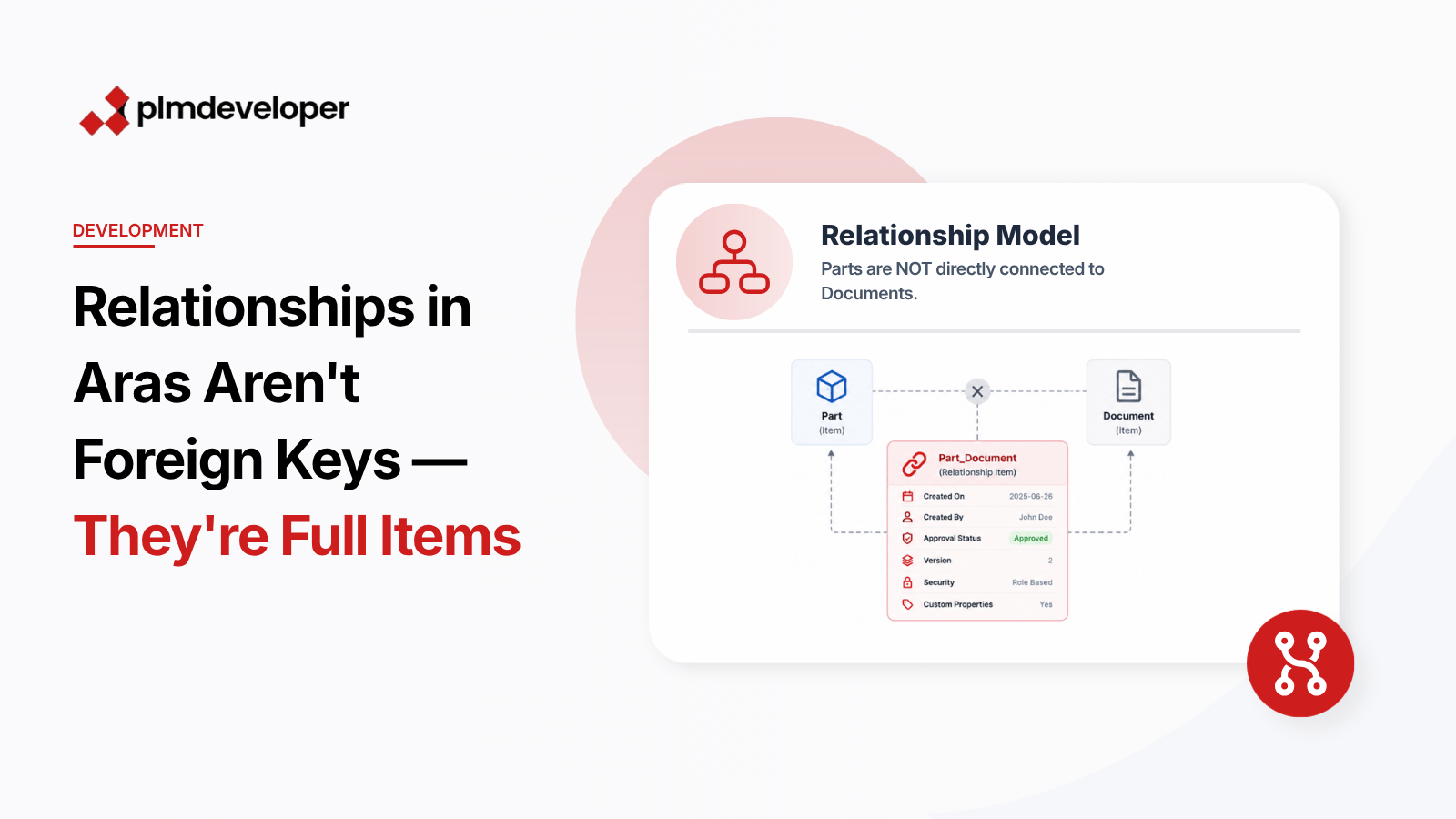
Relationships in Aras Innovator are often misunderstood. Developers accustomed to traditional relational databases may treat them as simple foreign key references, but in Aras, relationships are far more complex. They are full-fledged items with their own properties, behaviors, and security settings, enabling advanced functionality like versioning and lifecycle management.
In Aras Innovator, relationships are implemented as first-class items called Relation Items. Each relationship has its own unique ID, properties, and behaviors, making them more versatile than traditional foreign key relationships. This design allows for granular control over how data is connected, queried, and secured, which is essential in enterprise PLM systems.
In Aras Innovator, relationships are not just connections between two items; they are items themselves. This means that each relationship has its own identity, properties, and lifecycle. For example, a relationship between a Part and a Document can store metadata such as the relationship’s creation date, its creator, or even custom properties like “Approval Status.”
A RelationshipType defines the template for how two items can be connected. It specifies the source and target item types, as well as any default properties. However, the actual relationship between two items is a Relation Item, which inherits its structure from the RelationshipType but can have additional properties or behaviors.
For example, consider a RelationshipType called “Part_Document.” This defines how Parts and Documents can be linked. When you create a relationship between a specific Part and Document, you’re creating a Relation Item that stores additional information, such as the relationship’s version or its security settings.
Because relationships are items, you can query them using AML just like any other item. For example, to retrieve all relationships between a specific Part and Document, you can use the following AML query:
<AML>
  <Item type="Relationship" action="get">
    <source_id>Part_ID_Here</source_id>
    <related_id>Document_ID_Here</related_id>
  </Item>
</AML>
This query retrieves the Relation Items that connect the specified Part and Document, allowing you to access their properties and behaviors.
Understanding the complexity of relationships in Aras Innovator is key to building robust and scalable PLM solutions. By treating relationships as full items, you can unlock their full potential for data modeling, security, and versioning. For further exploration, refer to the official Aras documentation on RelationshipTypes and AML queries.